Android vs. iOS for Business: Choosing Mobile Devices
Android and iOS handle enterprise device management differently — enrollment, BYOD containerization, and update lifecycles all vary. Here's how to choose.
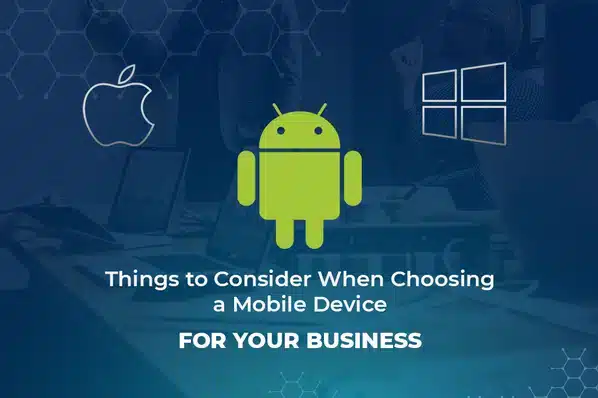
Android and iOS take genuinely different approaches to enterprise device management — not just different app stores, but different enrollment models, different BYOD containerization, and different device lifecycles. Before a large device purchase, it's worth understanding those differences rather than assuming one platform is a drop-in replacement for the other.
Android vs. iOS for Enterprise Management
| Android | iOS | |
|---|---|---|
| Corporate enrollment | Android Enterprise (zero-touch / EMM token) | Device Enrollment Program (DEP) |
| BYOD support | Strong — transparent work profile | Weaker — requires wipe via Apple Configurator |
| Device variety | Many OEMs, wide price range | Apple only |
| Typical device lifecycle | Shorter unless buying flagship models | Longer — frequent iOS updates on older hardware |
| Work/personal separation | Visible container, password-protectable (7.0+) | Less visible to the end user |
Android for Business
Android Enterprise gives Android essentially the same corporate-control capability as Apple's DEP, with one significant advantage for mixed-ownership fleets: BYOD. Users can clearly see what's inside their managed work container versus their personal space, and on Android 7.0+, the entire work container can be password-protected independently — useful, for instance, when family members share a device. See Android Enterprise device management for the full breakdown of enrollment methods.
The tradeoff is fragmentation: many OEMs produce Android hardware, and device lifecycle (how many years of OS and security updates a model gets) varies significantly between a flagship and a budget device. Stick to Android 6.0 or later at an absolute minimum, and favor Google or another major OEM's current-generation hardware for the longest realistic support window.
iOS for Business
Apple controls the entire hardware and software stack, which means device management behavior is consistent across the iPhone and iPad lineup, and Apple typically supports older models with frequent iOS updates longer than most Android OEMs support their devices. A corporation can enroll company-purchased devices through Apple's Device Enrollment Program (DEP), which — once supervised — can't be removed from management by the end user.
The tradeoff is BYOD: DEP only works for devices bought through Apple-authorized resellers, so a personal iPhone can never be DEP-enrolled. The workaround, Apple Configurator, requires wiping the device first and still lets the user remove supervision afterward — a meaningfully weaker guarantee than Android's work profile for personal-device scenarios.
How to Decide
- Corporate-owned fleet with full control needed? Both platforms work well — decide based on device cost and lifecycle preference.
- BYOD is a significant part of the strategy? Android's work profile is the stronger, more transparent fit.
- Need the longest possible device lifecycle with minimal OS fragmentation? iOS has the edge.
- Need a wide range of device price points and form factors (rugged, kiosk-oriented, etc.)? Android's ecosystem is broader.
- Whichever you lean toward — pilot a small batch of real devices before a full rollout. Behavior varies by specific model, not just by OS.
Many organizations run both platforms side by side rather than standardizing on one — see best practices for implementing a BYOD policy for how to structure that without creating inconsistent policy across platforms. For the fundamentals of how device management works once you've chosen your hardware, see what is mobile device management.
Frequently Asked Questions
Android generally handles BYOD more transparently: users can clearly see what's inside the managed work container versus their personal space, and Android 7.0+ supports password-protecting the work container specifically. On iOS, enabling comparable management on a personal device (via Apple Configurator) requires wiping the device first, and users can remove supervision at any time.