What Is Mobile Application Management (MAM)?
Mobile application management (MAM) secures and controls specific business apps and their data, without managing the whole device. Here's how it works and how it differs from MDM.
Mobile application management (MAM) secures and controls specific business apps and their data on a smartphone or tablet, without managing the device as a whole. Where MDM asks "is this device compliant," MAM asks a narrower question: "is this specific app configured correctly, and is its data protected?" That narrower scope is exactly what makes MAM useful on devices an organization doesn't fully own — most notably, personal phones in a BYOD program.
MDM vs. MAM: What's the Difference?
| MDM | MAM | |
|---|---|---|
| Controls | The whole device | Specific apps and their data |
| Requires full device enrollment | – | |
| Works on unmanaged BYOD devices | – | |
| Remote wipe scope | Entire device (or work profile) | Managed app data only |
| Typical use case | Corporate-owned fleets | BYOD, contractor, or single-app deployments |
Most organizations don't choose one over the other — they run MDM on company-owned hardware for full device control, and layer MAM on top (or use it standalone) wherever a device isn't fully theirs to manage. See our guide to mobile device management for the device-level side of this, and MDM vs. EMM vs. UEM for how MAM fits into the broader endpoint-management picture.
How Mobile Application Management Works
- 1
App sandboxing
Business apps are isolated into a separate, encrypted container. Apps inside it can't share data with anything outside — a work email attachment can't be opened in a personal app, for instance.
- 2
Silent deployment
Approved apps — in-house builds or public Play Store apps — are pushed to the container without the end user doing anything, often through a managed enterprise app store.
- 3
Policy enforcement
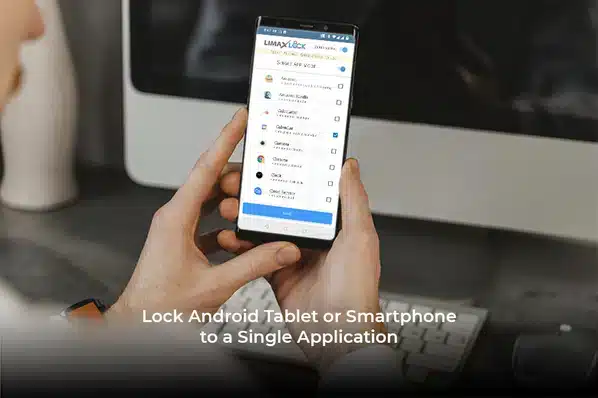
App-specific restrictions apply inside the container: forced VPN, single sign-on, disabled copy/paste out of the app, or locking an app into a kiosk-style single-purpose mode.
- 4
Monitoring & reporting
Usage, install status, and compliance are visible per app and per user profile, which is what makes MAM auditable.
Core Capabilities of a MAM Platform
App containerization
Corporate apps and data live in an isolated, encrypted space, separate from personal apps on the same device.
Silent install, update & removal
Push, update, or remove approved apps with zero action required from the end user.
App whitelisting
Only explicitly approved apps are accessible; everything else is blocked at the app layer.
Per-app policies
Restrictions — VPN requirements, disabled sharing, kiosk-style single-app locking — configured per app, not device-wide.
Enterprise app store
A managed, private Play Store for distributing in-house and vetted public apps without exposing users to the open store.
Usage & audit reporting
Per-app, per-user reporting on install status and activity, useful for compliance audits.
Why Mobile Application Management Matters
- Secures corporate apps and data on devices the organization doesn't fully own — the core BYOD use case.
- Keeps personal and business data separated on the same phone, satisfying both IT policy and employee privacy.
- Cuts IT overhead through silent install/update instead of manual app management per device.
- Gives field and customer-facing staff exactly the apps they need, with distracting or unapproved apps kept out.
- Produces the per-app audit trail regulated industries need, without requiring full device visibility.
For a deeper look at the specific features to compare across MAM platforms, see must-have MAM features. If your priority is managing documents and files rather than apps, see mobile content management — the two are frequently used together.
LimaxLock Mobile Application Management
LimaxLock's MAM runs on the same Android Enterprise foundation as its device management: apps are deployed silently through a managed enterprise app store, restricted through whitelisting, and — where a device is fully enrolled — combined with kiosk lockdown to lock a device to exactly the apps a role requires. That combination is what lets a single console cover both corporate-owned kiosk hardware and BYOD app-level control, instead of needing separate tools for each.
Frequently Asked Questions
No, they solve different problems and are usually used together. MDM secures the device; MAM secures specific apps and their data. On a BYOD device where the organization has no right to manage the whole phone, MAM (without full MDM) is often the only option — see our comparison of MDM vs. EMM vs. UEM for the full scope breakdown.