MDM vs. EMM vs. UEM: What's the Difference?
MDM, EMM, and UEM manage progressively more: MDM controls the device, EMM adds apps and content, UEM extends to every endpoint type. Here's exactly where each boundary sits.
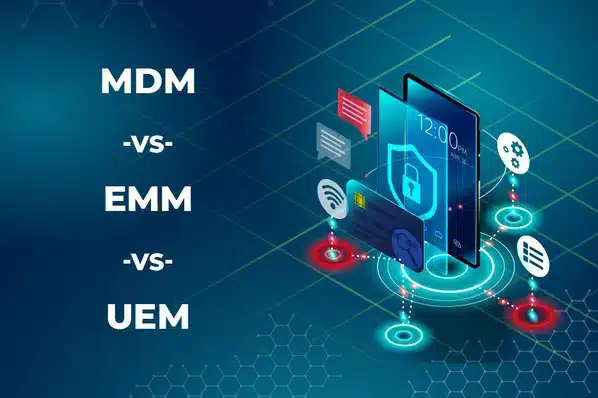
MDM, EMM, and UEM aren't three competing products — they're three widening circles of the same job. MDM manages the device. EMM manages the device plus the apps and content on it. UEM manages every endpoint type — mobile, desktop, laptop, and increasingly IoT — from one console. Each one is a superset of the last, and understanding where your actual needs sit on that scale is what decides which one to buy.
MDM vs. EMM vs. UEM at a Glance
| MDM | EMM | UEM | |
|---|---|---|---|
| Manages mobile devices | |||
| Manages laptops & desktops | – | – | |
| App deployment & management | – | ||
| Content management (MCM) | – | ||
| BYOD containerization | – | ||
| Single console for all endpoint types | – | – | |
| Best fit | Device-only fleets | Mixed BYOD + corporate mobile | Mixed device types across the org |
Mobile Device Management (MDM)
MDM was the first of the three to exist, arriving alongside the first enterprise smartphone rollouts. It focuses exclusively on the device: enrollment, remote lock and wipe, password and encryption policy, Wi-Fi/VPN configuration, and real-time compliance monitoring, all pushed through a management protocol built into the device's OS. MDM answers one question well — is this device configured correctly and under our control? — but it has no visibility into what happens inside a specific app.
Enterprise Mobility Management (EMM)
EMM exists because device-level control alone isn't enough once BYOD enters the picture — an organization needs to secure corporate apps and data on a phone it doesn't own, without touching the employee's personal side. EMM is really MDM plus several additional capabilities, most commonly:
- Mobile Application Management (MAM) — controlling and updating specific apps and their data, independent of the whole device. Covered in full in our MAM guide.
- Mobile Content Management (MCM) — secure distribution and access control for corporate documents and files.
- Containerization — separating work apps and data from personal data in an encrypted profile, so IT manages the container without ever seeing personal content.
- Mobile expense management — tracking and capping mobile data/communication costs per device or app.
In practice, "EMM" is less a single product and more a bundle of these capabilities layered on an MDM base.
Unified Endpoint Management (UEM)
UEM is the broadest tier: one console managing mobile devices, laptops, desktops, and — on some platforms — IoT and wearables, regardless of operating system. It inherits everything EMM does and extends it past mobile, which is the appeal for larger IT organizations that don't want a separate tool for every device category. The tradeoff is that UEM platforms are typically more complex and costlier than an organization needs if its fleet is entirely mobile.
Which One Do You Actually Need?
- Only managing company phones and tablets, with no need to control specific apps? MDM is enough.
- Running a BYOD program, or need to deploy and update specific business apps? You need EMM-level app management.
- Managing laptops and desktops alongside mobile devices from one console? That's UEM territory.
- Handling regulated data that needs content-level access control, not just device-level? Look for MCM within an EMM/UEM platform.
- A pure Android fleet with no desktop management need? Don't pay for UEM's extra scope — MDM (or MDM+MAM) covers it.
For the BYOD-specific side of this decision, see how BYOD and MDM work together and enterprise mobility management: what you need to know.
Where LimaxLock Fits
LimaxLock is an MDM platform with the EMM capabilities that matter most for Android fleets — app management, content whitelisting through a kiosk browser, and BYOD-safe work profiles — built in as standard. It's a deliberately Android-focused MDM+MAM platform, not a cross-OS UEM suite: if your requirement is specifically managing Windows or macOS laptops alongside phones from one console, a full UEM platform is the right category to shop in. If your fleet is Android-based and you need device control plus app and content management without desktop management overhead, that's exactly where LimaxLock sits.
Frequently Asked Questions
No. UEM includes MDM as a subset but extends management to laptops, desktops, and sometimes IoT and wearables from the same console — MDM alone only ever covers mobile devices.