How BYOD and Mobile Device Management (MDM) Work Together
BYOD gives employees flexibility; MDM is what keeps that flexibility from becoming a security liability. Here's exactly how the two combine — containerization, policy enforcement, and the rollout steps that make it work.
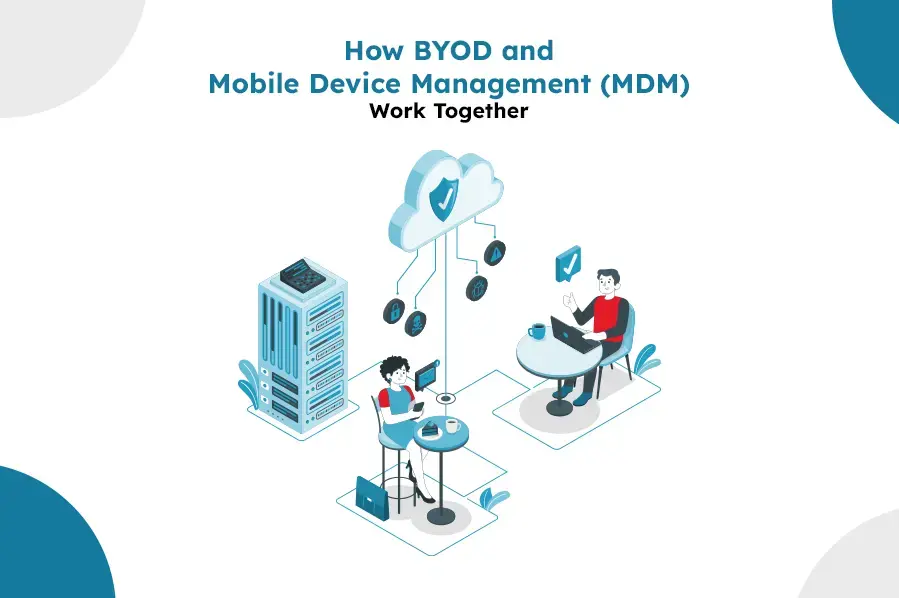
Bring Your Own Device (BYOD) gives employees the flexibility to work from hardware they already own and know. Mobile device management is what keeps that flexibility from becoming a security liability — enforcing policy, separating corporate from personal data, and giving IT a way to respond if something goes wrong, without taking over the whole device. Here's exactly how the two combine.
Understanding BYOD and Its Benefits
BYOD allows employees to use their personal smartphones, tablets, and laptops for work. This approach has several benefits:
- Increased Productivity: Employees are often more comfortable and proficient with their personal devices, leading to increased efficiency and job satisfaction.
- Cost Savings: BYOD reduces the need for companies to invest in expensive hardware, resulting in significant cost savings.
- Flexibility and Mobility: Employees can work from anywhere, enhancing work-life balance and supporting remote work initiatives.
Despite these advantages, BYOD can also introduce several risks and challenges, particularly related to data security and device management.
The Role of MDM in BYOD
Mobile Device Management (MDM) is a solution that allows organizations to manage, secure, and monitor devices used for work purposes, whether they are company-owned or personal (BYOD). MDM provides a centralized platform for enforcing security policies, managing applications, and ensuring compliance with regulatory requirements.
Key Features of MDM in a BYOD Environment
- Security and Compliance: MDM solutions enable organizations to enforce security policies on all devices, ensuring that sensitive data is protected. Features such as remote wipe, encryption, and password enforcement help safeguard corporate information.
- Application Management: MDM allows IT administrators to control which applications can be installed and used on BYOD devices. This prevents the use of unapproved or potentially harmful apps.
- Device Monitoring and Management: MDM provides tools for tracking device usage, monitoring compliance, and identifying potential security threats. This ensures that all devices adhere to corporate policies.
- Separation of Work and Personal Data: MDM solutions often include containerization features, which separate work-related data from personal data on BYOD devices. This ensures that corporate information remains secure while respecting employee privacy.
Implementing a Successful BYOD and MDM Strategy
To effectively integrate BYOD and MDM, organizations need to develop a comprehensive strategy that addresses both the benefits and challenges of BYOD. Here are key steps to consider:
1. Develop Clear BYOD Policies
A successful BYOD strategy starts with clear and comprehensive policies. These policies should outline the acceptable use of personal devices, security requirements, and the responsibilities of both employees and the organization. Policies should cover:
- Device Eligibility: Specify which types of devices are allowed for work purposes.
- Security Requirements: Detail the security measures that must be in place, such as encryption, strong passwords, and regular software updates.
- Data Protection: Define how work-related data should be handled and protected.
- Compliance and Monitoring: Explain how compliance with BYOD policies will be monitored and enforced.
2. Choose the Right MDM Solution
Selecting the right MDM solution is crucial for the success of your BYOD strategy. Consider the following factors when evaluating MDM solutions:
- Compatibility: Ensure that the MDM solution supports all types of devices used by your employees.
- Security Features: Look for robust security features, including encryption, remote wipe, and threat detection.
- Ease of Use: Choose a solution that is easy to deploy and manage, both for IT administrators and end users.
- Scalability: Ensure that the MDM solution can scale with your organization’s needs, accommodating a growing number of devices and users.
3. Educate and Train Employees
Effective implementation of BYOD and MDM requires employee buy-in and cooperation. Provide training and resources to help employees understand the importance of BYOD policies and how to comply with them. Topics to cover include:
- Security Best Practices: Teach employees how to protect their devices and data, such as using strong passwords and avoiding suspicious links or downloads.
- Policy Compliance: Ensure that employees understand the BYOD policies and the consequences of non-compliance.
- MDM Features and Benefits: Explain how the MDM solution helps protect their personal information while securing corporate data.
4. Monitor and Review
Regular monitoring and review of your BYOD and MDM strategy are essential to ensure its effectiveness. Use the monitoring tools provided by your MDM solution to track compliance, identify potential issues, and make necessary adjustments. Regularly review and update BYOD policies to address emerging threats and changing business needs.
The Synergy Between BYOD and MDM
When implemented effectively, BYOD and MDM create a synergistic relationship that benefits both employees and organizations. Employees enjoy the flexibility and convenience of using their personal devices, while organizations benefit from increased productivity and reduced costs. MDM solutions provide the necessary security and management tools to mitigate the risks associated with BYOD, ensuring that corporate data remains protected and compliance requirements are met.
Conclusion
The combination of BYOD and mobile device management balances the flexibility and mobility employees want with the security and control the organization needs. Clear policies, the right MDM platform, employee training, and ongoing monitoring — in that order — are what turn BYOD from a risk into a genuine productivity win.
For the full checklist version of this, see best practices for implementing a BYOD policy. For the enrollment mechanics specifically (work profile vs. fully managed device), see Android Enterprise device management.
LimaxLock for BYOD and MDM
LimaxLock's work-profile enrollment applies containerization automatically — corporate apps, data, and policy live in an isolated container that IT fully controls, while everything outside it stays private to the employee.
Frequently Asked Questions
Not with a properly configured work-profile setup — containerization keeps managed apps and data in an isolated, encrypted space. IT has visibility and control inside that container only; personal photos, messages, and apps outside it stay invisible to the organization.