What Is Rugged Device Management?
Rugged hardware survives drops and weather. Rugged device management is the separate, software layer that keeps those devices policy-compliant and secure in the field. Here's how the two fit together.
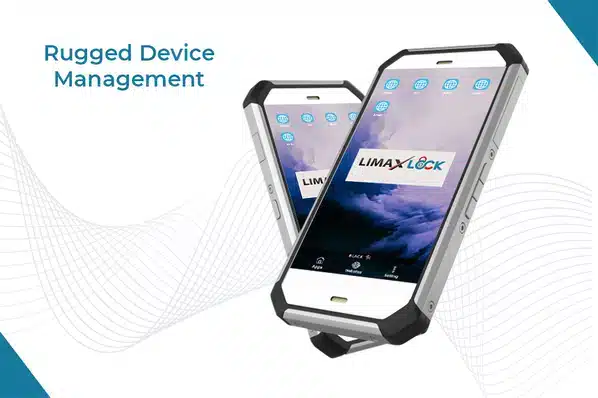
Rugged hardware is built to survive drops, dust, water, and extreme temperatures. What it isn't built to do on its own is stay secure, policy-compliant, and manageable once it's out in the field — that's a separate, software layer: rugged device management.
What Makes a Device "Rugged"
| Typical protection | Best for | |
|---|---|---|
| Semi-rugged | Reinforced casing, moderate drop/spill resistance | Light field use, warehouse, retail |
| Fully rugged | Military-grade (MIL-STD) certified, high drop/dust/water resistance | Construction, logistics, manufacturing |
| Ultra-rugged | Maximum protection for extreme conditions | Mining, oil & gas, military, harsh outdoor environments |
Beyond drop and water resistance, rugged devices commonly add replaceable batteries, multi-unit charging docks, and reinforced ports — features aimed at all-shift, all-weather use rather than typical consumer patterns.
Why Rugged Devices Still Need Device Management
A rugged device carries the same enterprise, customer, and employee data as any other managed phone — and because it's typically used by field staff working far from any office, it's arguably more exposed to loss or theft, not less. Ruggedization does nothing to prevent that data from being compromised if the device itself isn't managed. A proper mobile device management policy applied to rugged hardware covers:
Policy enforcement
The same encryption, passcode, and app-restriction policy as any managed device, applied fleet-wide.
Remote lock & wipe
Critical for field devices, which are more likely to be lost or left unattended than an office device.
Offline resilience
Policy already applied holds even when a device loses connectivity for extended periods in remote locations.
App & content management
Field-specific apps deployed and updated remotely, without a technician needing to physically handle the device.
Remote troubleshooting
Diagnosing and often fixing issues without dispatching someone to a remote job site.
Where Rugged Devices Are Used
- Logistics & transportation — drivers, warehouse scanners, vehicle-mounted devices.
- Manufacturing & construction — devices exposed to dust, drops, and physical impact daily.
- Oil & gas, mining — extreme temperature and environmental exposure.
- Healthcare — devices used across facilities and in the field for patient care.
- Retail & hospitality — durable point-of-sale and inventory devices.
- Public safety & security — field devices that need to work reliably under any condition.
For the specific case of drivers and logistics fleets, see MDM for transportation and logistics. For locking a rugged device to exactly the apps a field role needs, see what is kiosk lockdown.
LimaxLock for Rugged Devices
LimaxLock manages rugged Android hardware the same way it manages any Android device — policy enforcement, kiosk mode, remote lock/wipe, and app deployment — with policy that holds through the connectivity gaps rugged devices are built to work through.
Frequently Asked Questions
Passing formal durability standards, not just marketing claims — drop, dust, water, and temperature ratings (commonly IP and MIL-STD certifications). Fully rugged devices meet military-grade standards specifically; semi-rugged devices offer partial protection at a lower cost and weight.